
How to import trades from IG
Supported Brokers & Trading platformsUpdated
In short
FixyTrade is 100% compatible with IG broker in three ways:
Method #1: Automatically via the IG API
Note
⚠️ Important: IG API sync works only with live accounts. If you are using an IG demo account, you will need to import your trades manually.
-
Go to the "Brokers & Platforms" tab then "IG": https://app.fixytrade.com/integrations/choose
-
Click "Select" under "IG AUTO-SYNC"
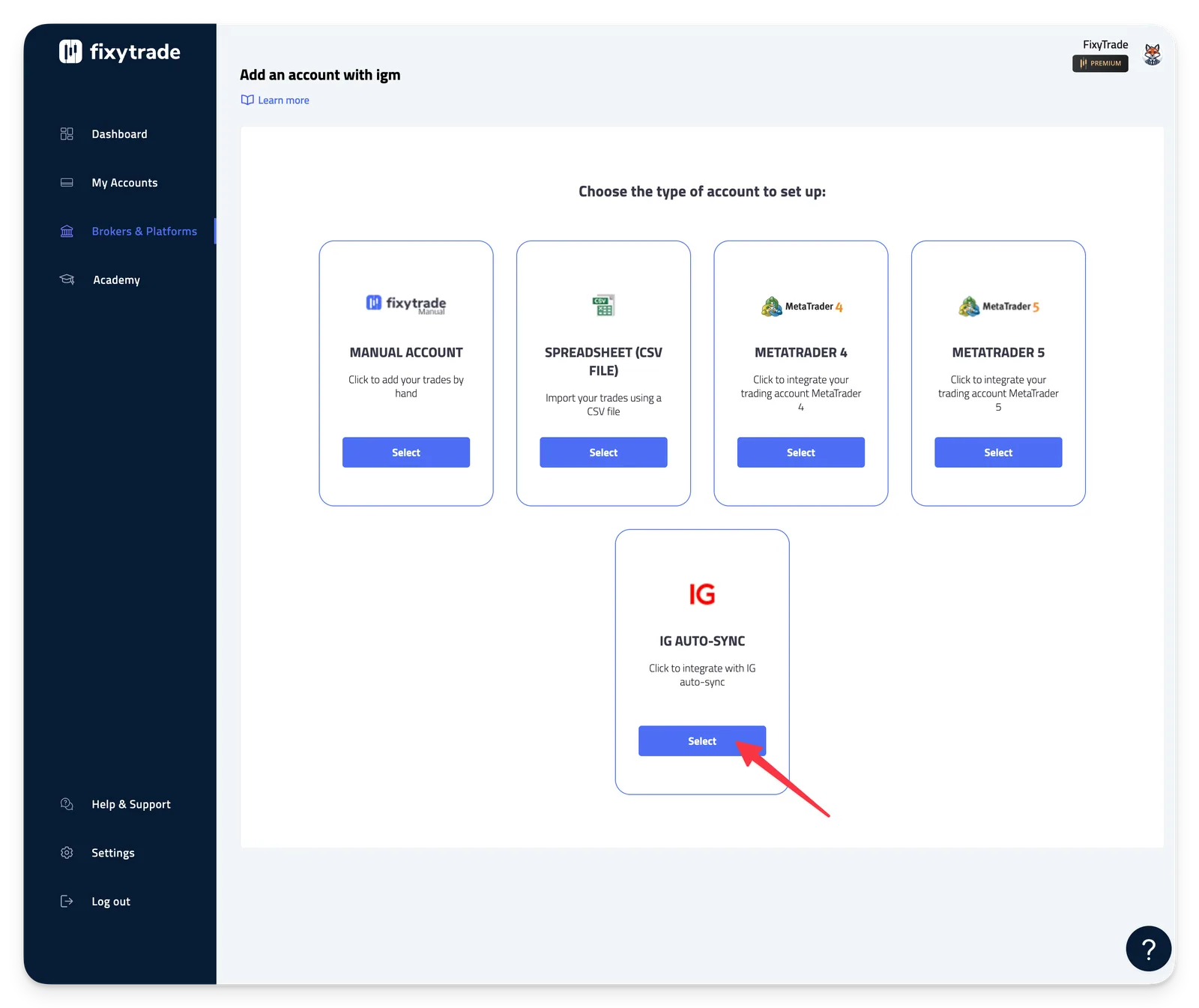
- We will now complete the 4 fields:
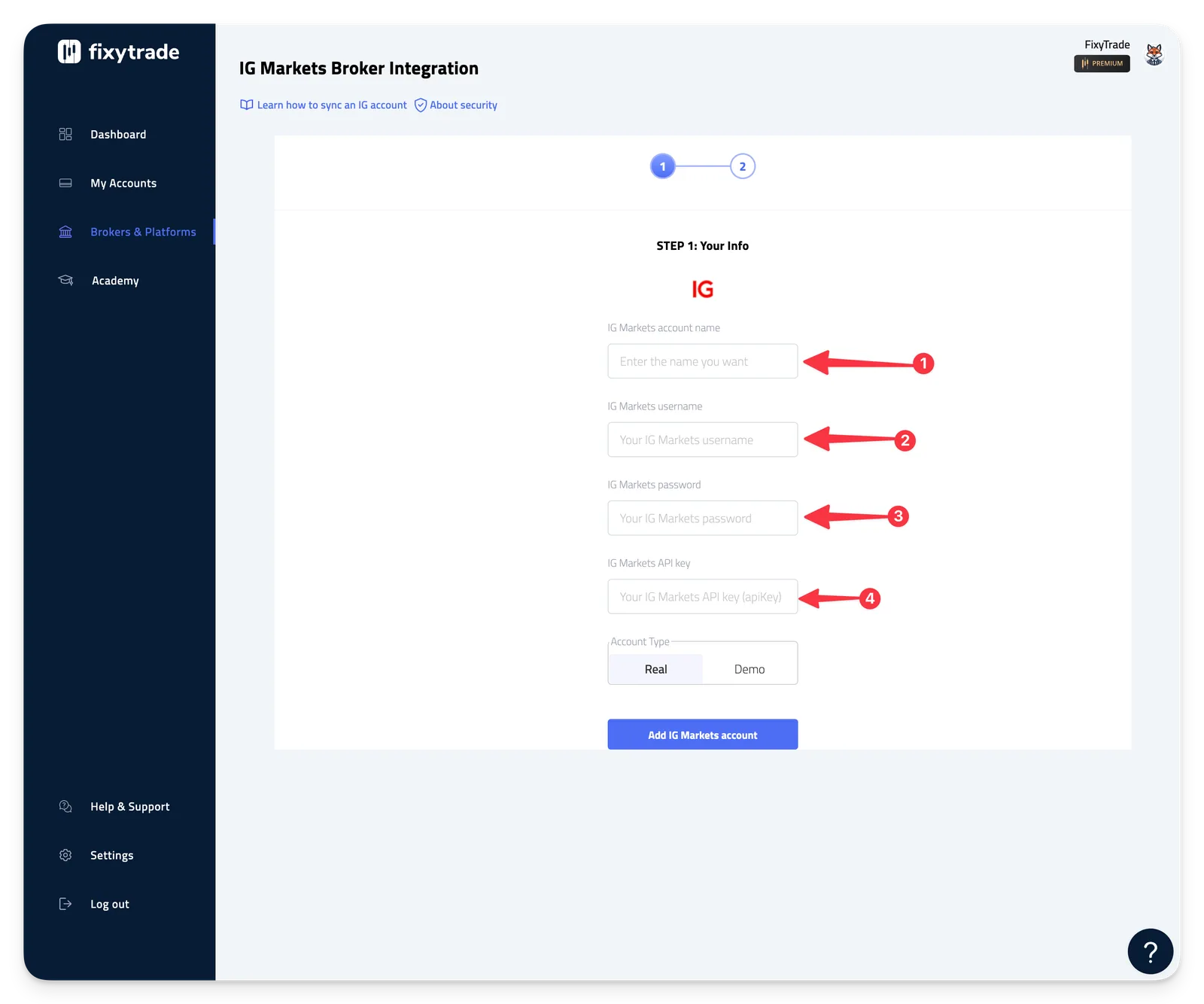
Enter an account name of your choice (This can be any name you like).
-
Enter the account name you want
-
Enter your IG username (⚠️ Do not enter your email but your IG username. When you created your account at IG, you had to create a username. If you can't find your username, know that you can easily find it via the following link (click here). Otherwise, don't hesitate to ask IG if you need to find it again).
-
Enter your IG password
-
Enter your IG API key
-
To find your IG API key, login to your IG account: https://www.ig.com/
-
Then go to the settings and click on "API Keys". If you have a French account, you can access it by clicking on the following link: https://www.ig.com/en/myig/settings/api-keys
-
Create a new API key by entering a name, check the box to accept the terms and conditions and click on "Generate new key". Your IG API key is now ready
-
-
Copy the IG API key and paste it into the FixyTrade field
-
Then click on "Add IG account".
Good to know
The first synchronization with your IG account may take a few tens of minutes. Please be patient.
Method #2: Automatically via MetaTrader
- Go to the "Integrations" tab and then "MetaTrader 4" or "MetaTrader 5": https://app.fixytrade.com/integrations/choose
Method #3 : Manually by adding your trades by hand
- Go to the tab "Integrations" then "Manual account": https://app.fixytrade.com/integrations/choose
Limitations
-
The IG broker does not share in its API the closing data of a trade. This will impact the following features:
-
The "Closing Date/Time" column will have the same data as the "Opening Date/Time" column
-
The column "Duration" will be considered as "00h 00m".
-
The functionality "Duration" in the tab "Performance" will not be able to display the trades data
-
Related articles
List of all brokers and trading platforms supported by FixyTrade
Supported Brokers & Trading platforms
How to import trades from MetaTrader 4 (MT4)
Supported Brokers & Trading platforms
How to import trades from MetaTrader 5 (MT5)
Supported Brokers & Trading platforms
How to import trades from FXCM
Supported Brokers & Trading platforms
Can’t find it?
Write to us — a person answers.