
How to change a trading account name
FixyTrade PlatformUpdated
In short
If you want to change your trading account name, you can.
If you want to change your trading account name, you can. Follow the process below:
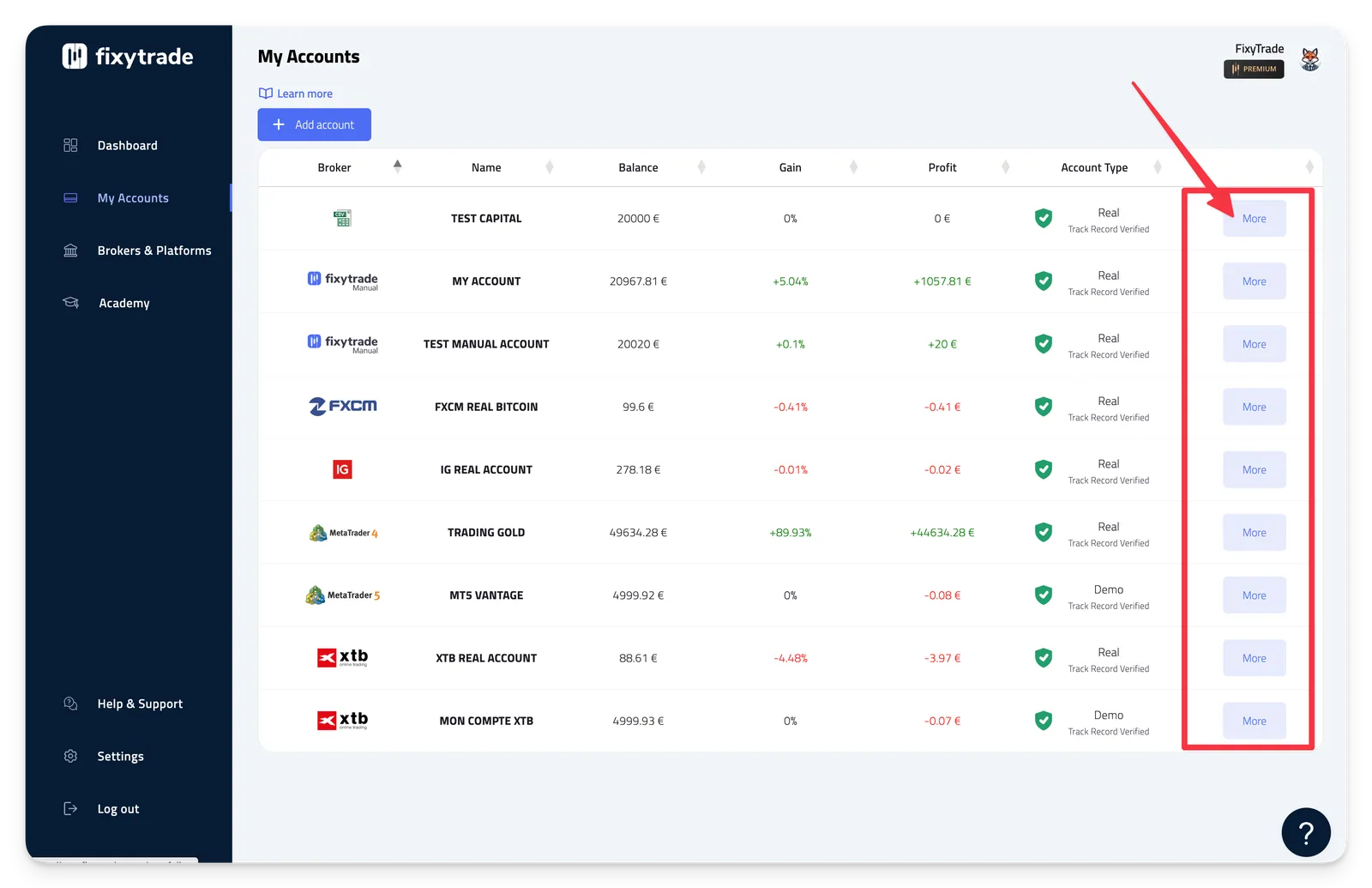
- Step 1: Click on "My Accounts" in the menu
- Step 2: Click on the "More" button corresponding to the trading account whose name you want to change.
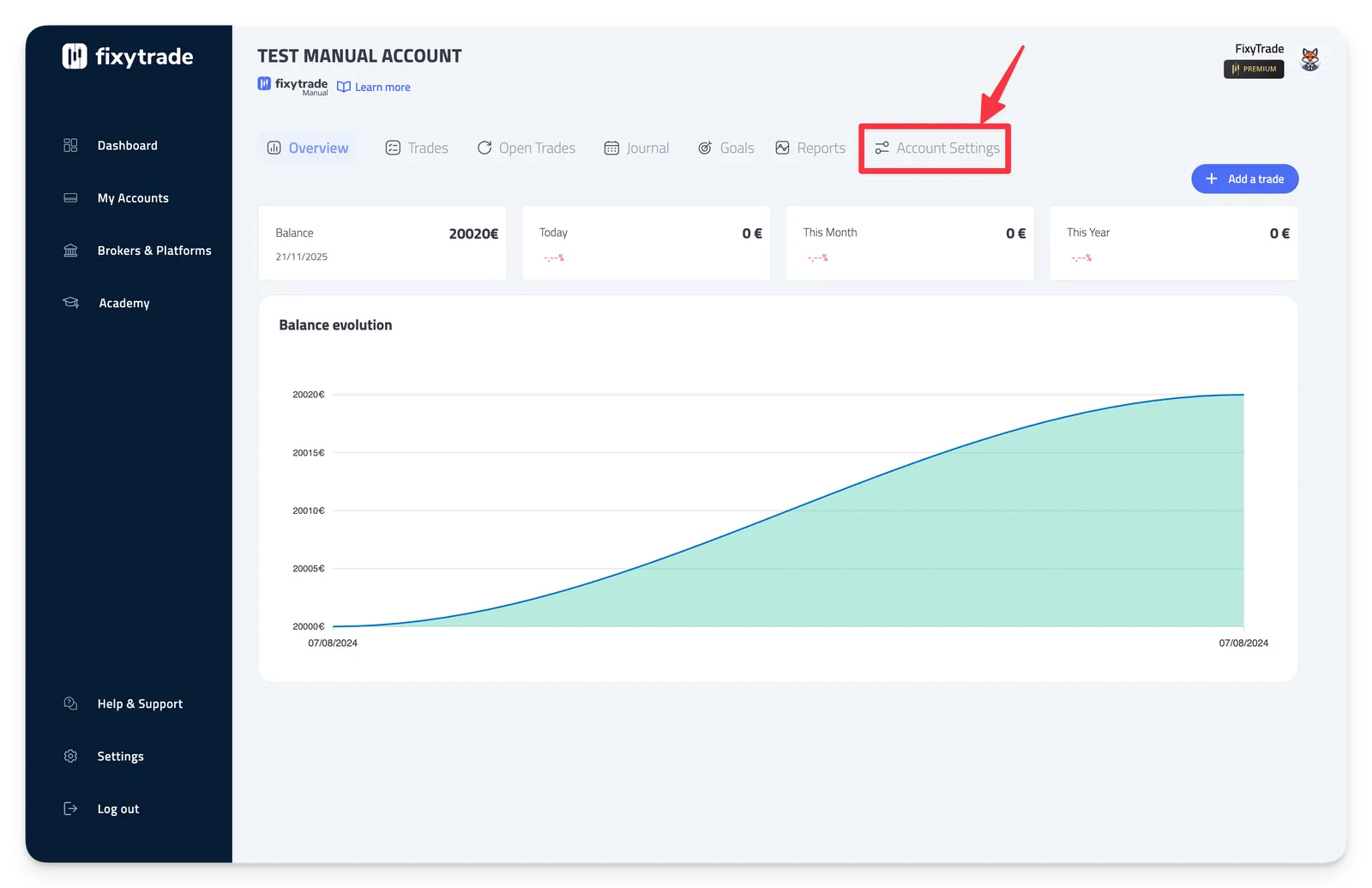
- Step 3: Click on "Account Settings"
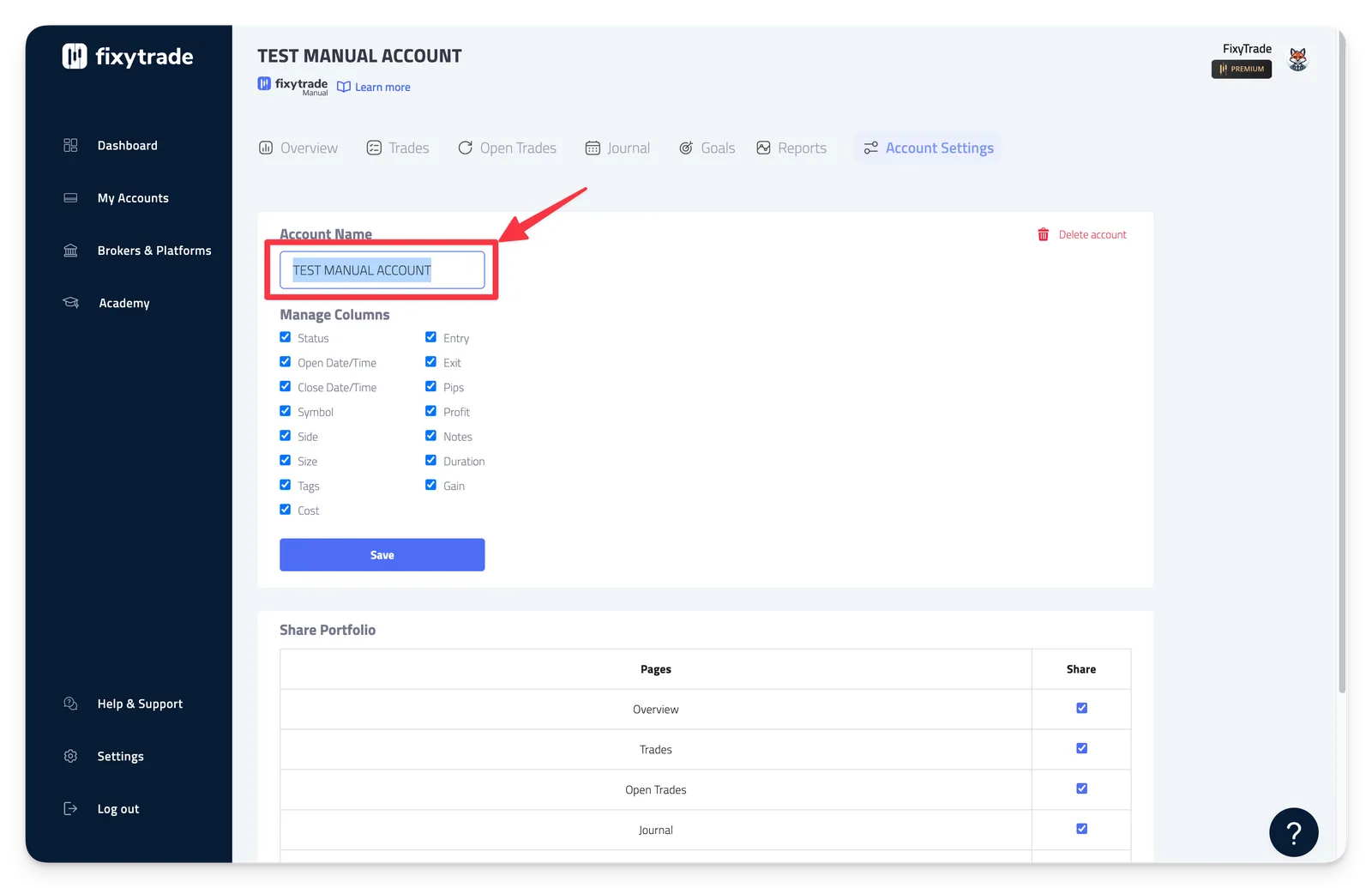
Step 4: Change the name of your trading account in the "Account Name" field.
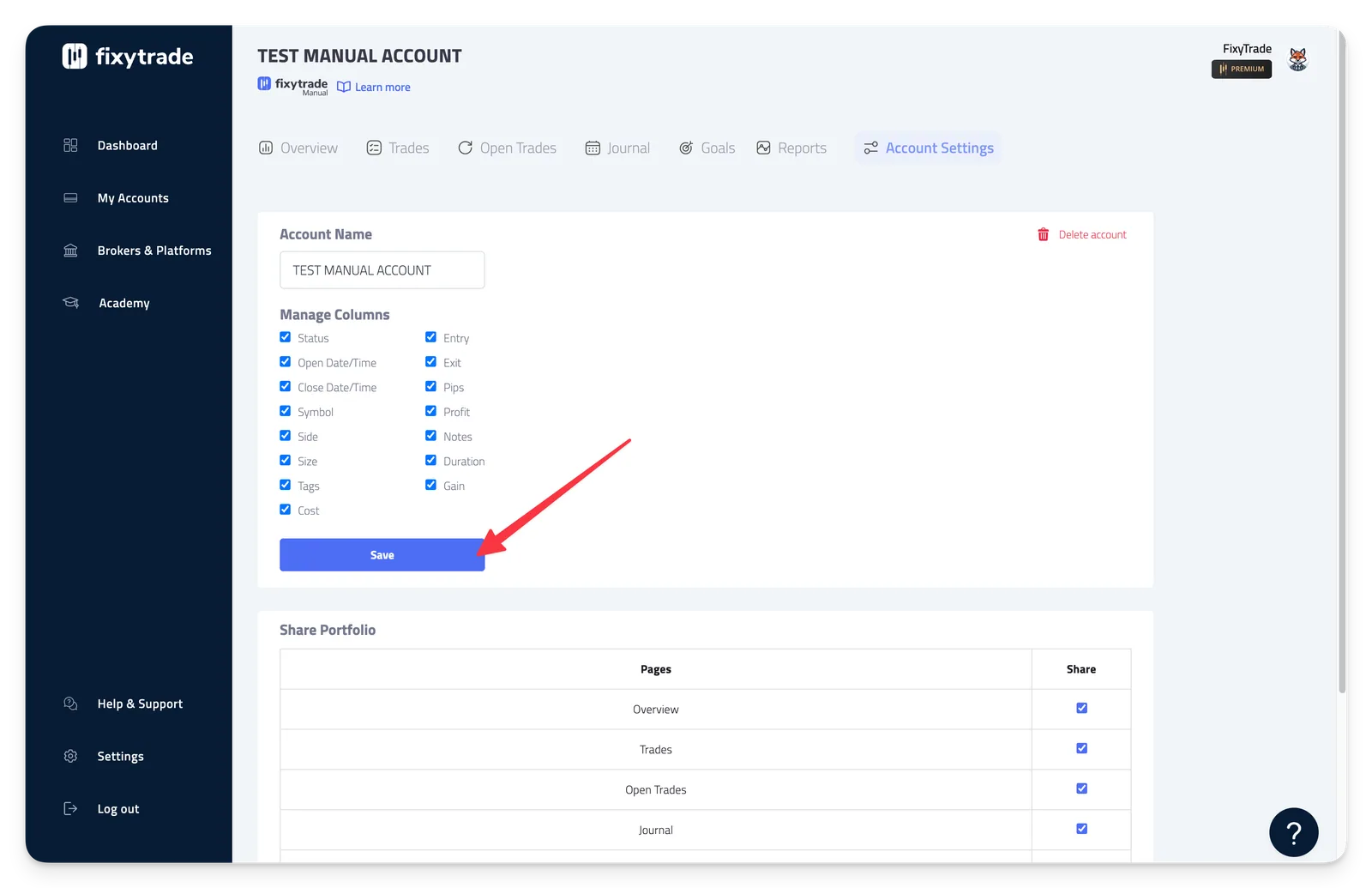
Step 5: Click "Save" to confirm.
Related articles
Learn how to use "My Accounts"
FixyTrade Platform
How to delete a trading account
FixyTrade Platform
Add and sync a trading account
FixyTrade Platform
How to add a profile picture
FixyTrade Platform
Can’t find it?
Write to us — a person answers.